
.jpeg)
In the fast-paced world of IT service management, correctly prioritizing incidents isn't just beneficial; it's critical. Incorrect prioritization can quickly lead to missed SLAs, increased downtime, and frustrated customers. But what if your team had an AI-powered assistant providing guidance to help them get it right every time?
Enter Arlo for Incident Documentation.
What's Arlo for Incident Documentation?
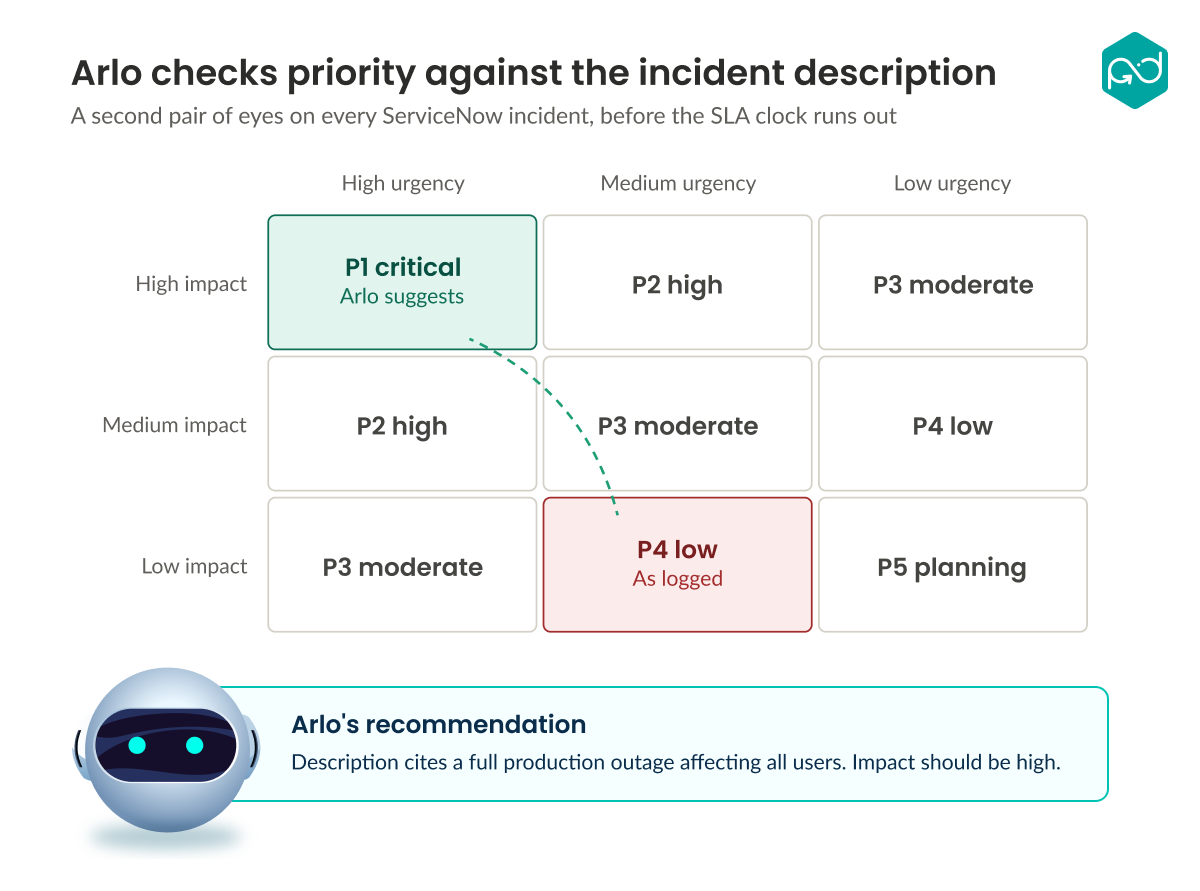
Arlo for Incident Documentation is your virtual analyst built specifically for ServiceNow, designed to support your fulfillers by ensuring accurate incident prioritization. It serves as a reliable "second pair of eyes," automatically comparing incident descriptions against their assigned impact and urgency levels.
This skill identifies potential mismatches between the details described in the incident and its assigned priority, offering clear, evidence-based recommendations for correction. As a result, your team can consistently prioritize incidents accurately, better meet SLAs, and allocate resources efficiently.
How Does It Work?
Arlo for Incident Documentation leverages the power of NowAssist to analyze the language used in incident descriptions. It then cross-references this information with the assigned impact and urgency, detecting if a critical incident is potentially being under-prioritized or if routine issues might be unnecessarily consuming valuable team resources.
Key Benefits
- Accuracy in Prioritization: Ensures critical issues aren't mistakenly under-prioritized, helping your team focus on what's important.
- Efficiency Boost: Frees your team's resources by quickly identifying and correcting prioritization errors.
- Improved SLA Compliance: Provides proactive adjustments and helps avoid SLA breaches, keeping customers satisfied and reducing downtime.
Installation and Configuration
Getting started with Arlo for Incident Documentation is straightforward:
- Install the Plugin: Navigate to Plugins in ServiceNow and install "Arlo for Incident Documentation."
- Configure the Skill: Under "Arlo for Incident Documentation" → "Properties":
- Choose if the assistant should trigger automatically when an incident is moved to In Progress.
- Select the fields you want the assistant to evaluate.
- Activate the Skill: Ensure the skill is activated through the Now Assist Admin panel.
Using the Skill
Once configured, your team can easily leverage this skill:
- Navigate to any incident record and click "Incident Documentation Assistant" under "Related Links."
- Instantly receive actionable feedback directly within the incident.
- Enjoy optional automatic feedback whenever incidents move to In Progress or Resolved, depending on your configuration.
Why This Matters
Incident prioritization is fundamental to IT operations. Missteps here can ripple out, affecting productivity, customer satisfaction, and overall service quality. Arlo for Incident Documentation proactively protects your service desk from such pitfalls, ensuring that your team remains aligned, informed, and consistently effective.
Ready to elevate your incident management process? Bring Arlo for Incident Documentation into your ServiceNow environment today and experience the power of AI-driven accuracy. Reach out to RapDev to learn more.


.png)