
When RapDev engineers conduct account reviews for our Datadog customers, we often find that the platform is running on its factory defaults. That makes total sense as Datadog ships with sensible defaults for broad usability, not with the assumption of enterprise-grade security policies baked in. The good news is that hardening your Datadog Organization is fast, low-risk, and makes an immediate difference.
Below are the four settings we bring up most often. Think of this as the 30-minute governance audit you probably haven't run yet.
1. Disable Unused Login Methods
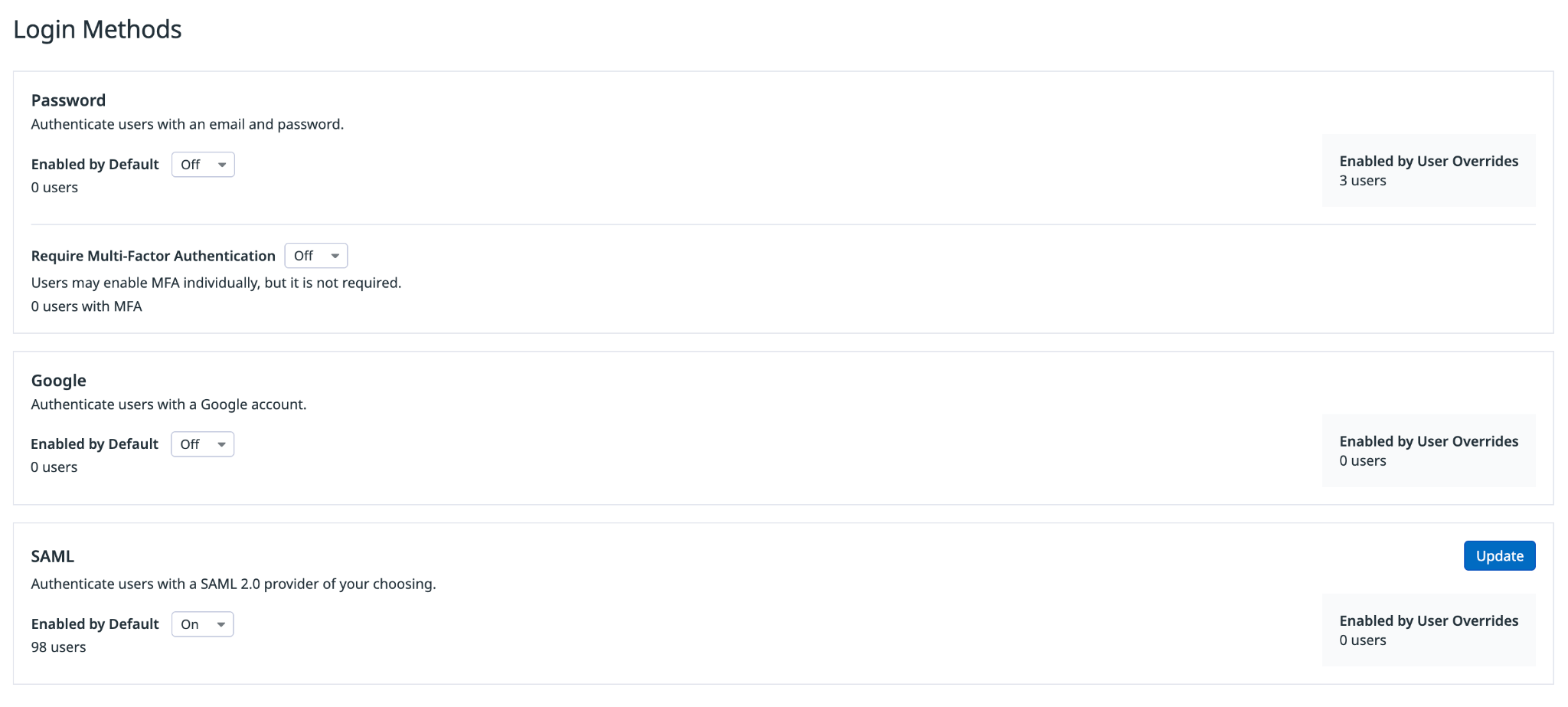
If your organization has SSO configured via SAML, there is very little reason to keep password-based or Google login enabled. As long as those methods are on, a departing employee can perform a password reset, establish a standalone credential, and retain access to your Datadog instance indefinitely - even after their IdP account is deprovisioned.
Disabling the non-SAML methods eliminates that vector entirely. As a side benefit, if you have a custom Datadog domain, users will only see a single "Log in with SSO" button on the login page, which reduces confusion and support tickets.
Recommendations:
- Unused Login Methods → Disabled
Where to find it:
- Organization Settings → Login Methods
2. Disable Public Sharing
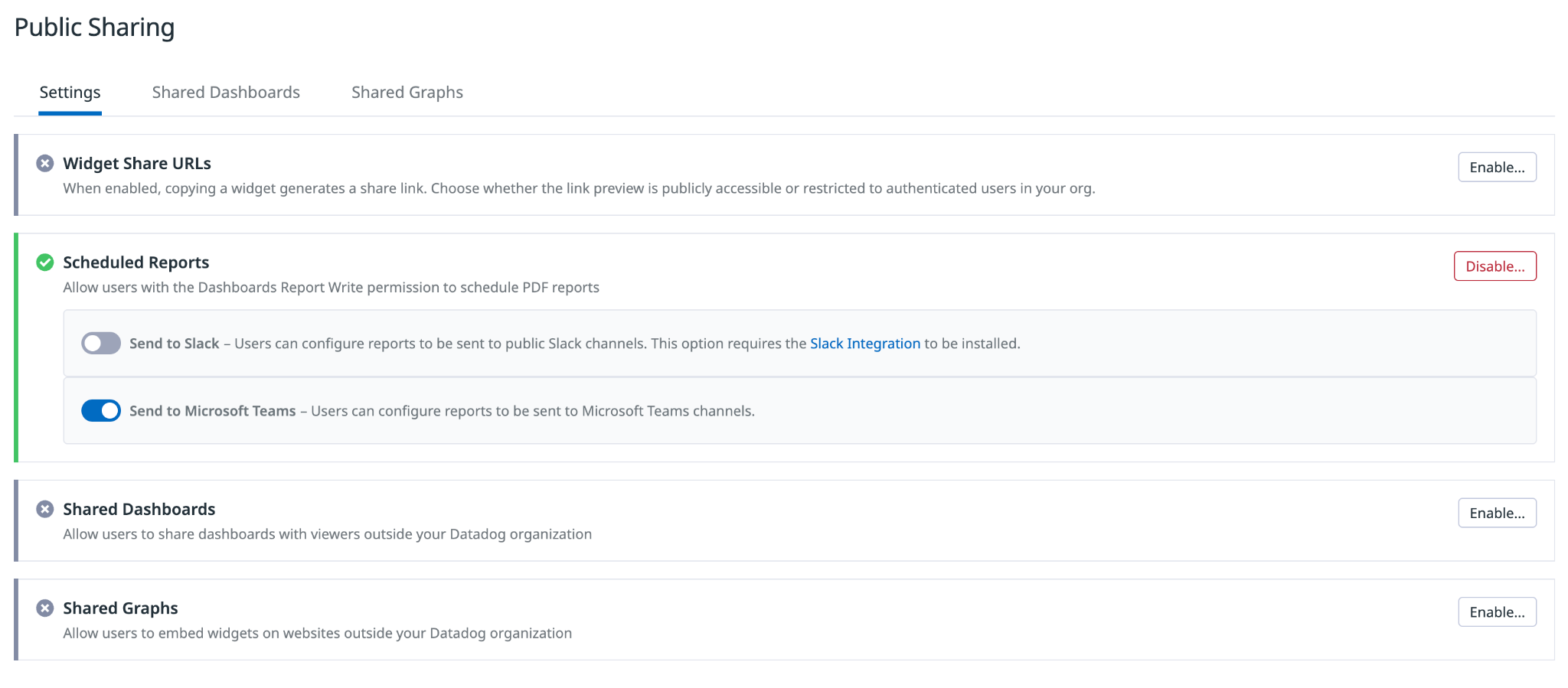
By default, Datadog allows any user to generate a public URL to a dashboard or graph, with no authentication required to view it. For most enterprises, that means your infrastructure metrics, logs, SLO data, or business KPIs could be browsed by anyone who obtains a link. Often, users generate these public links by accident while trying to share a dashboard with a colleague.
Unless you have an explicit need for public dashboards (think: a public-facing status page), we recommend disabling the three public sharing surfaces: Widget Public URLs, Shared Dashboards, and Shared Graphs. Scheduled Reports also allows data to be sent externally via email but is usually a high value feature and is left enabled. Don't forget to also check the Shared Dashboards and Shared Graphs tabs - there may be existing live public links that need to be revoked.
Recommendations:
- Widget Public URLs → Disabled
- Shared Dashboards → Disabled
- Shared Graphs → Disabled
- Scheduled Reports → Keep Enabled
Action item:
- Audit the Shared Dashboards and Shared Graphs sub-tabs for any existing public links and revoke access for any that are no longer needed.
Where to find it:
- Organization Settings → Public Sharing
3. Reduce Max Session Duration
Datadog's default session duration is 30 days. That means a user who authenticates via a login method on day one won't receive another login challenge for a full month. In practice, it also means a machine that gets left logged in, or a session token that gets compromised, has a very long runway before it naturally expires.
If your organization has a formal session policy length, use it. If you don't, 24 hours is a reasonable, widely accepted baseline that balances security and usability. Most users won't notice the difference since SSO re-authentication is relatively seamless.
Recommendations:
- Set Max Session Duration to 24 hours, or per your organization's policy
Where to find it:
- Organization Settings → Preferences → Max Session Duration
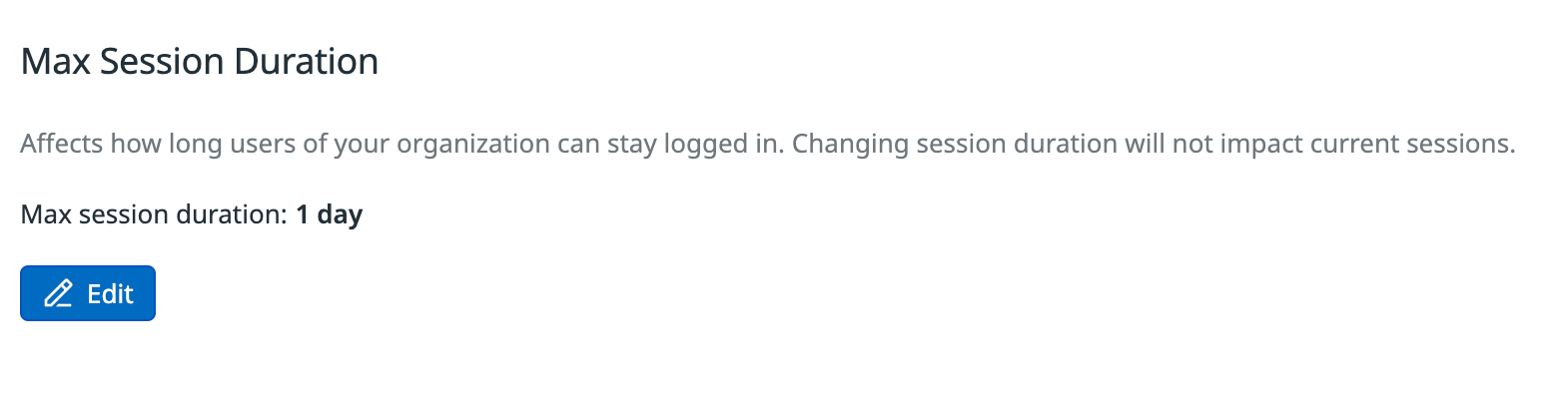
Important note: When attempting to save this setting, Datadog will ask you to re-authenticate. After logging in, you will need to save the settings a second time for the change to fully commit.
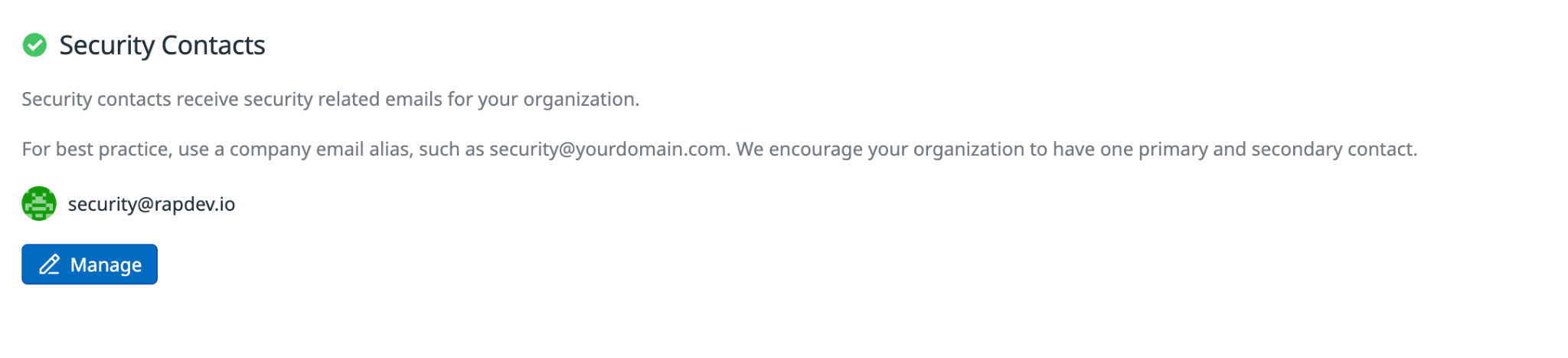
4. Add Security Contact Distribution List
Every Datadog admin will already receive security-related notifications by default, so this one isn't a fire drill - but it is still worth a look. If your security team maintains a group email address (e.g. security@yourcompany.com), adding it here ensures that CVE alerts, suspicious login notices, and other platform security communications reach the right people without depending on any single admin's inbox.
Recommendations:
- Add your security distribution list if one exists
Where to find it:
- Organization Settings → Preferences → Security Contacts
Putting It All Together
None of these changes require a maintenance window or agent restarts. They take effect immediately and carry essentially no operational risk. Here's the quick-reference checklist:
☐ Disable unused login methods
☐ Disable Widget Public URLs, Shared Dashboards, and Shared Graphs
☐ Audit existing public dashboard and graph links and revoke any that aren't needed
☐ Set Max Session Duration to 24 hours or your stated policy
☐ Add a security distribution list to Security Contacts if one exists
Account reviews like this are something RapDev does regularly as part of our Datadog governance and optimization engagements. If you want a more comprehensive audit of your Datadog configuration, from tagging strategy to monitor noise to RBAC hygiene, reach out to the team.