
While the technology world feels like it completely runs on the cloud, a large number of companies still have significant on-premises technology assets. According to the Uptime Institute, over 40% of IT workloads are still hosted in corporate data centers. That’s a significant portion of technology spend that needs to be accounted for.
On‑premise ServiceNow Discovery can be a struggle for lots of reasons - whether that be credential sprawl, outdated hardware, or heavily customized probes and patterns. But one of the most common and often easily fixable problems with data center implementations is something you wouldn’t normally expect.
Who Moved My Cheese: Why CI’s Suddenly Go Missing
It seems like a strange thing to say, right? But your network is not a static entity; new subnets get created, and devices move to new network segments. And these environments are often carved into multiple network zones with their own firewall rules.
As the IP ranges associated with your discovery schedules drift from what’s actually live in your corporate network, you risk losing visibility into what’s actually in your data center.
No News Isn’t Good News - The Silent Discovery Error
In an ideal world, you would know every single IP address that you want to reach, send out a probe to that address, and get configuration item data returned through your discovery pattern. In practice, you won’t necessarily know every active IP address, but you should know which subnets you need to scan.
When you define a subnet in ServiceNow to discover, associate it with a schedule, and fire up discovery, the first step in that process is the Shazzam probe. That’s your port scan, which identifies what ports are accessible for a given set of IP addresses.
If the Shazzam probe finds an open port on an IP address, a classifier probe is triggered, and from there you have pretty good visibility into any subsequent failures. However, the only time you’ll see an error message for a Shazzam probe in the discovery log is if the entire Shazzam probe fails to return any results.
As long as ServiceNow can reach some addresses in the block of IP addresses it was trying to reach, you won’t be any the wiser until you realize that the devices that were in that subnet have either gone dark or moved on.
Know the Score: Track Your Discovery Hit Rate
Discovery Admin Workspace provides anomaly detection that will tell you when your schedules are running abnormally. One of the anomalies that ServiceNow tracks is the number of CIs discovered in a particular schedule and whether that has deviated from its traditional mean.
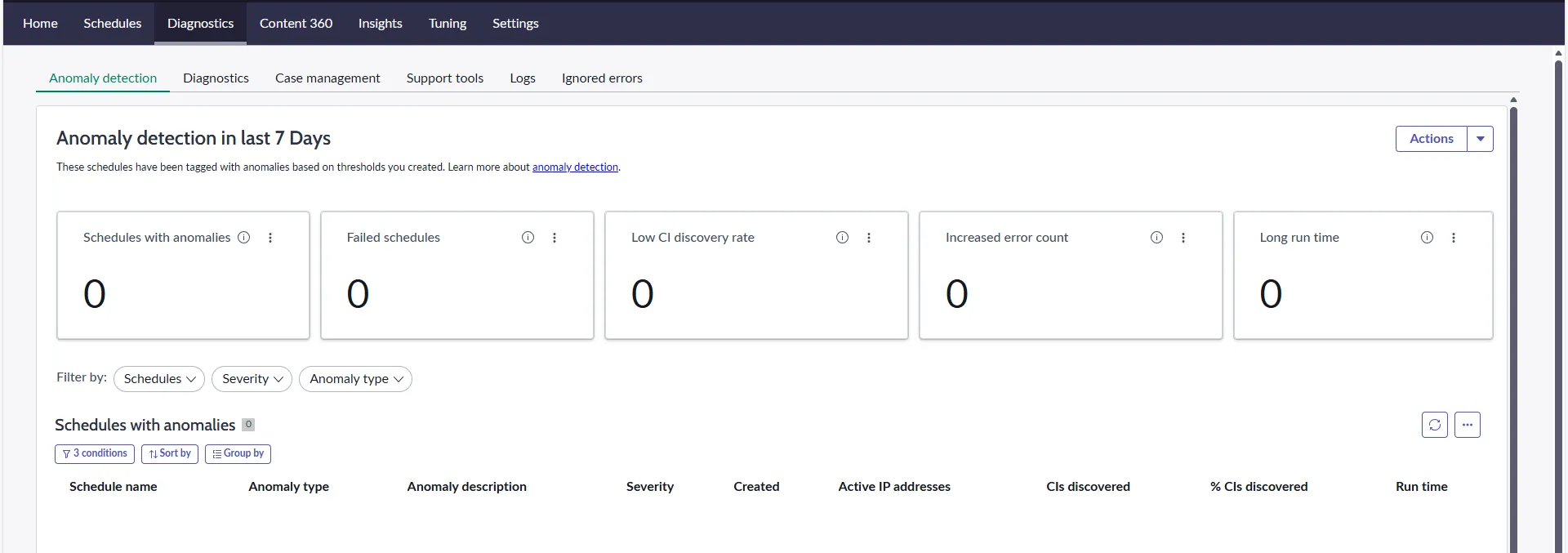
Anomaly detection is primarily focused on two vectors: the normal behavior of your schedule, and a set percentage of drift (20% by default) from the current behavior. The sensitivity and thresholds for anomaly detection are configurable, so before changing those thresholds, it’s important to weigh the benefits of more schedules being flagged for problems versus the possibility of false positives.
It’s important to note that while anomaly detection is quite helpful, it’s not a substitute for periodic schedule reviews by discovery admins. On each discovery run, you can view the total number of IP’s scanned in the schedule versus the number of devices actually discovered.
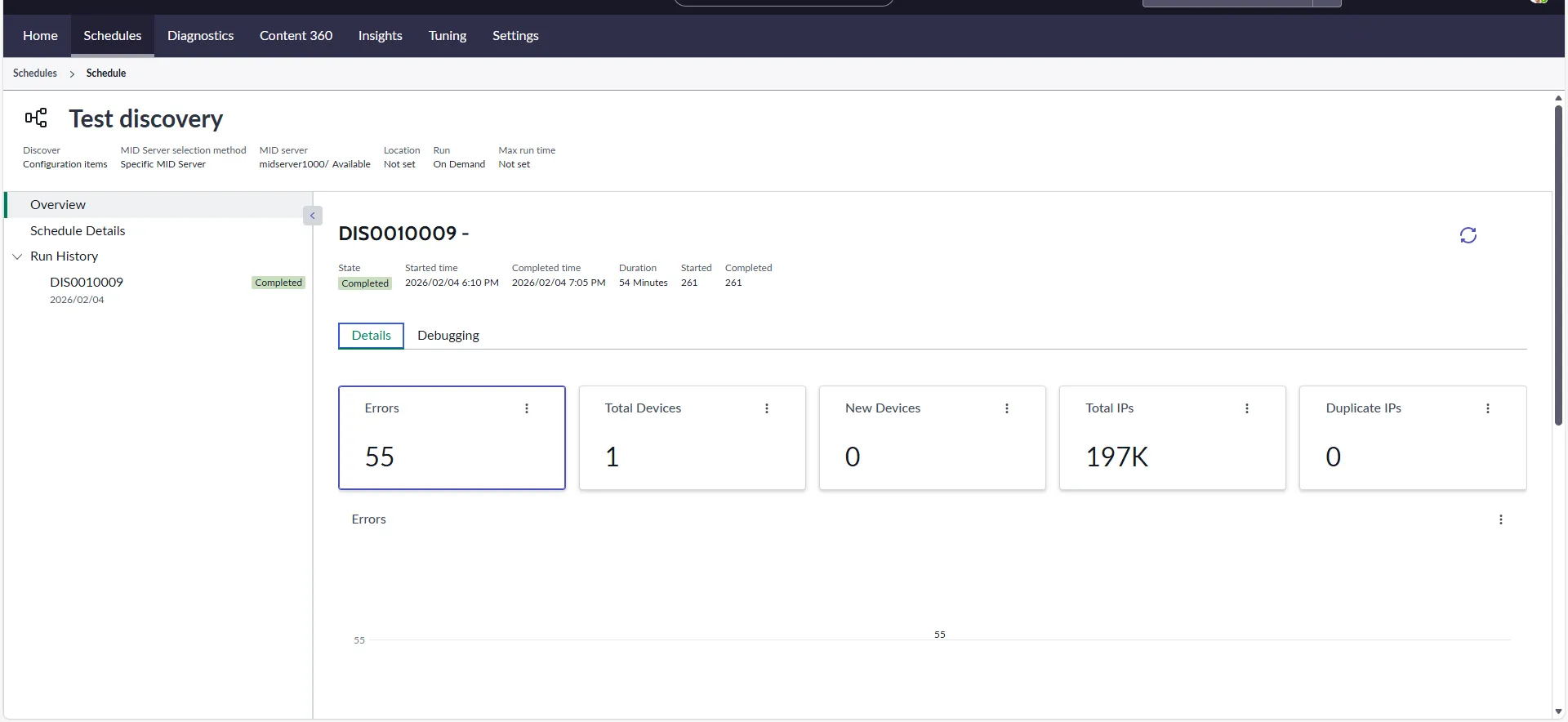
If you’re seeing a downward trend in the number of CI’s captured in schedules without a corresponding uptick in the error rate - which would likely indicate issues with classification probes or patterns - then the most likely culprit is that these devices have either gone silent or moved to a network segment you may not be scanning.
Out of the Darkness: Find the Right Places to Look
Now that you know how to tell if your discovery subnets may be going dark, the next step is to figure out what network segments discovery should be targeting.
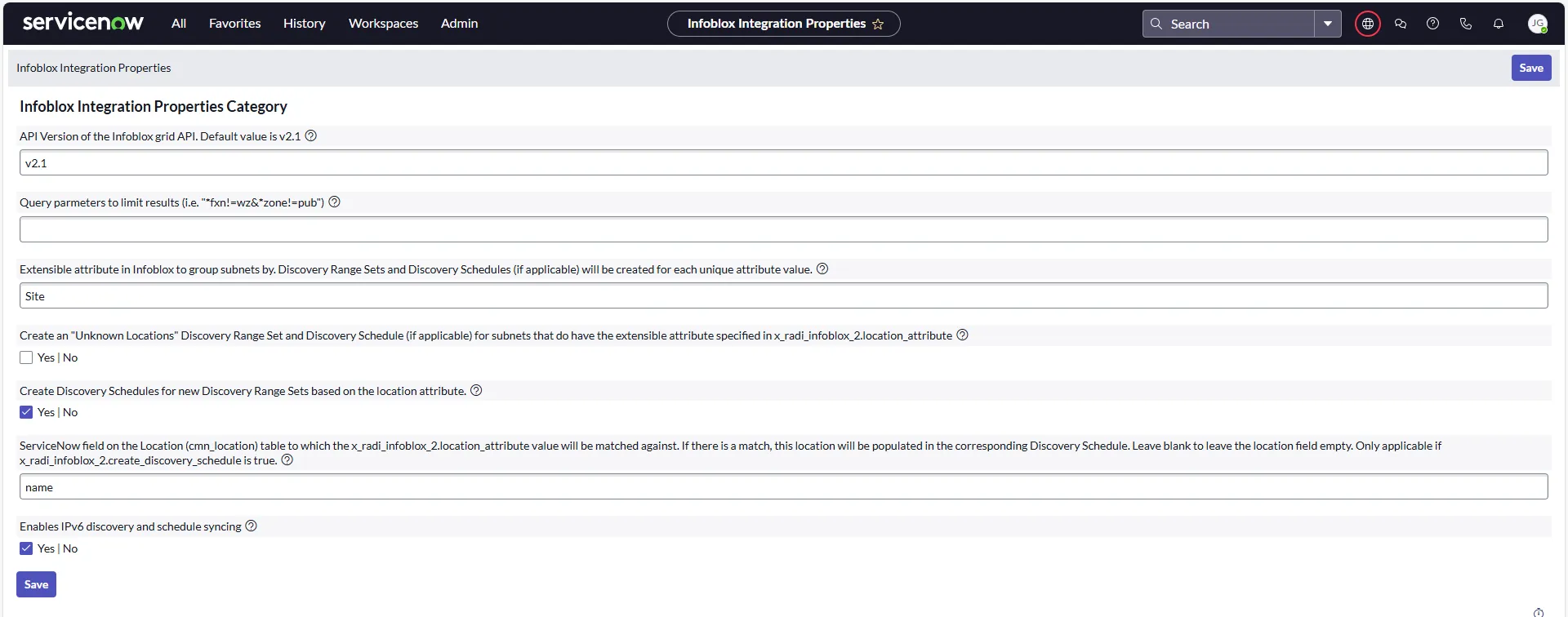
While you can certainly work with infrastructure teams to track these down, IP Address Management (IPAM) tools are often your best bet to know what subnets are currently active in your enterprise. There are multiple IPAM providers that have integrations with ServiceNow, including RapDev’s Infoblox Subnet Integration for Discovery, which does the heavy lifting of creating discovery ranges and schedules for you.
Wrapping Up
A decrease in your discovery hit rate without the usual culprits like credentials and pattern failures is a strong signal that it's time to make sure you're actually scanning the right parts of your network. RapDev's ITOM engineers have helped teams across industries get their on-premises discovery back on track. Reach out to our team to learn how we can help you optimize your ServiceNow Discovery implementation.